

Blog
Why Ubiquiti?

Why Ubiquiti?
Overview
Ubiquiti Networks presents a seamless, easily manageable solution with its accessible deployment and user-friendly interface. Its competitive pricing eliminates the burdensome recurring licensing fees associated with major enterprise vendors, making it a highly attractive option.
Ubiquiti's range of products spans switches, wireless devices, video surveillance equipment, building management tools, Voice Over Internet Protocol (VOIP), firewalls, VPNs, and more. This comprehensive selection can form a holistic ecosystem capable of propelling small to medium businesses towards their growth objectives.
If you're a nascent technologist, Ubiquiti's convenience and simplicity may be especially appealing, fostering quick and efficient digital enablement. Ubiquiti sits comfortably between home-use and enterprise-level technology, making it an ideal choice for small to medium-sized businesses. Its appeal is not merely based on being a cost-effective solution, but more importantly, on its capacity to deliver value for money.
An apt analogy is the comparison between flying in a Cessna versus a jumbo jet. The shift in complexity between the two is largely due to the increased capacity, redundancy requirements, and numerous functions necessary for smooth operation. Both aircraft serve their purpose effectively—they fly safely and are fit for their intended uses. Misconceptions may arise when one tries to compare networking solution providers as if comparing TVs, where screen quality, resolution, and sound are the main differentiators. However, as the airplane analogy suggests, it's more about what's fit for purpose, what's right for you.
Choosing a networking solution is akin to selecting the appropriate aircraft. Your network's size, complexity, and needs should inform the solution you choose, much like the passenger count and journey characteristics dictate the type of aircraft required.
Just as a Cessna provides a smaller group with an efficient and practical flight solution without the complexities of a jumbo jet, Ubiquiti offers businesses with less intricate networking requirements an easy-to-use solution. The choice isn't about superiority; it's about selecting the right tool for the job. For many businesses, Ubiquiti is precisely that perfect fit.
Furthermore, Ubiquiti allows for organic growth by enabling the addition of new devices with ease. You can start simple and expand your network as your needs evolve, providing a sustainable, scalable solution.
Unifi Software & Applications
Unifi Controller
Software Defined Networking (SDN) represents a paradigm shift in network management, advocating for programmable, flexible, and centralised control of networks. This involves decoupling the control plane, responsible for decision making, from the data plane, executing those decisions. SDN is designed to bring about more efficiency and responsiveness, especially in large, complex networks.
Ubiquiti Networks' UniFi product series, however, implements a different model. While it might initially appear to be aligned with SDN due to its emphasis on centralised control, it doesn't strictly adhere to the SDN framework.
UniFi employs a network management system that is centrally controlled, yes, but each device within that system still maintains autonomy in decision-making and packet routing. The UniFi Controller software, a web-based platform, oversees all UniFi devices such as access points, switches, and routers. It offers valuable tools and features for network administrators, including device management, analytics, configuration tools, and status reporting.
This centralisation facilitates easier management and provides a unified view of the network. Yet, it's important to note that each UniFi device operates independently in regards to packet forwarding. Unlike in a true SDN environment, where decisions are made centrally and then executed by devices, UniFi devices make their own decisions under the guidance of the central UniFi Controller.
Therefore, while Ubiquiti's UniFi series embodies some elements reminiscent of SDN, mainly central management and configuration, it's more accurate to describe it as a centrally managed network solution. It leverages aspects of SDN but doesn't fully decouple the control and data planes, which is a defining characteristic of pure SDN environments.
This also means the UnFi controller is not critical to the operation of the network, albeit necessary for the setup and monitoring. Keeping it running though allows you to visually see in real time and historically how the networking has been performing and roughly how it is being used.
Here is a few screenshots of what some of the monitoring in the controller interface looks:
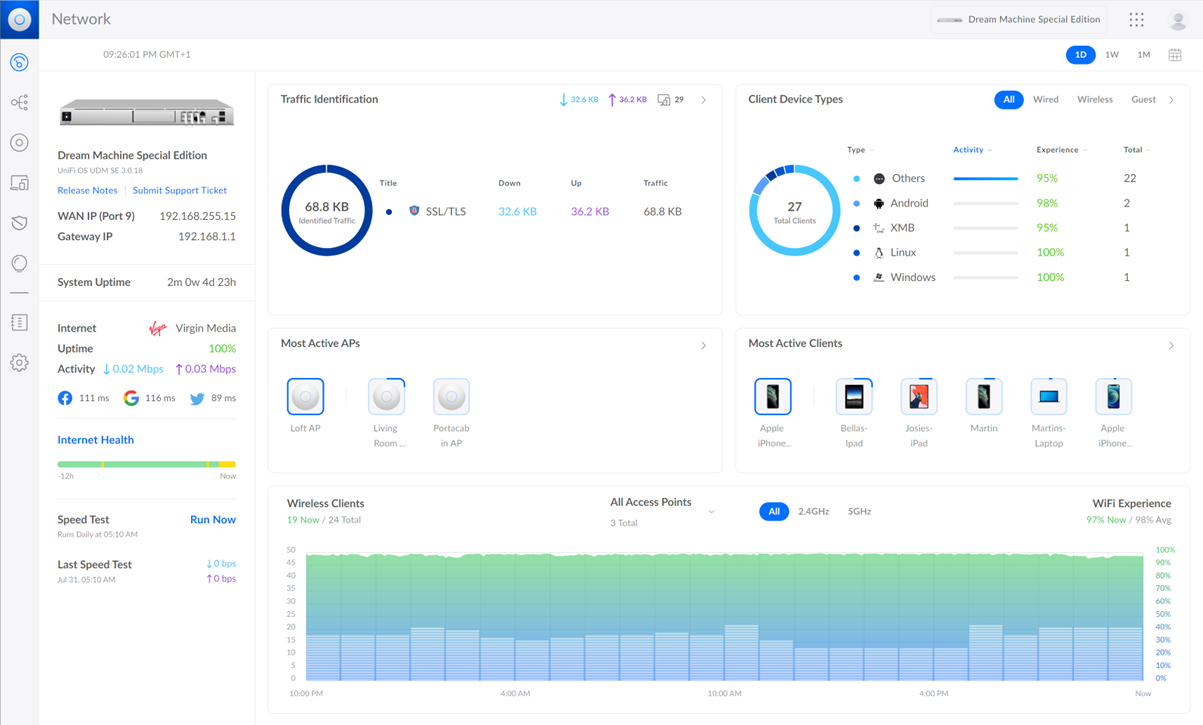
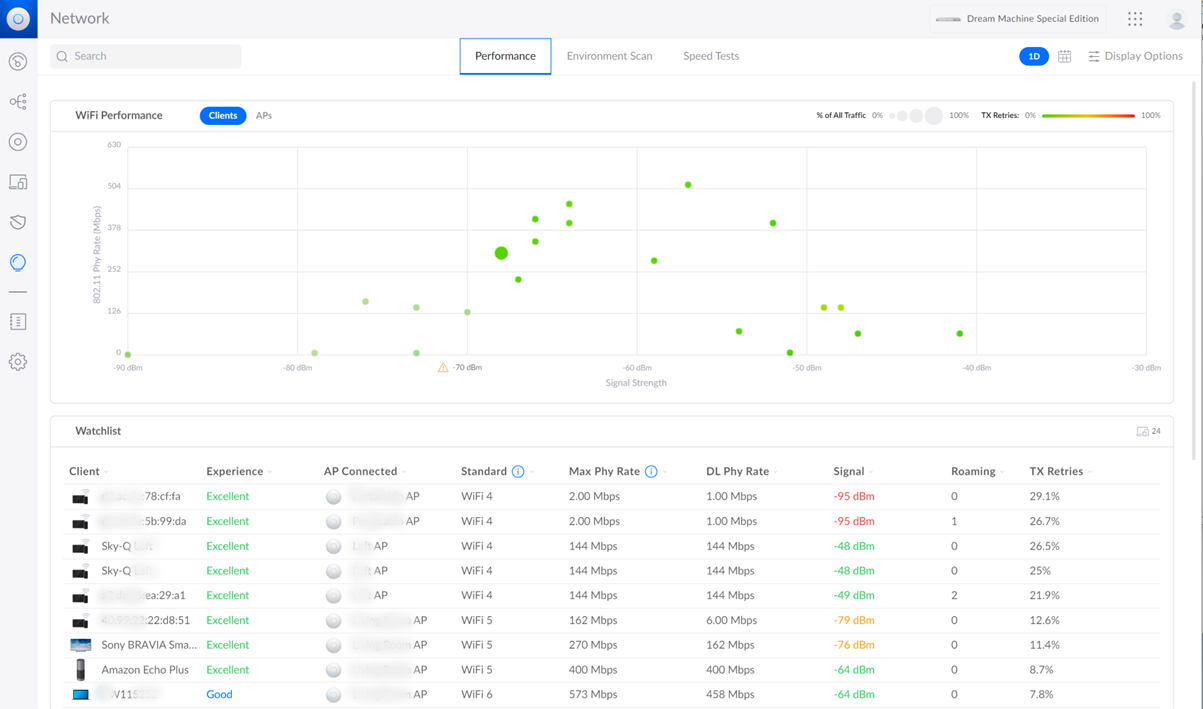
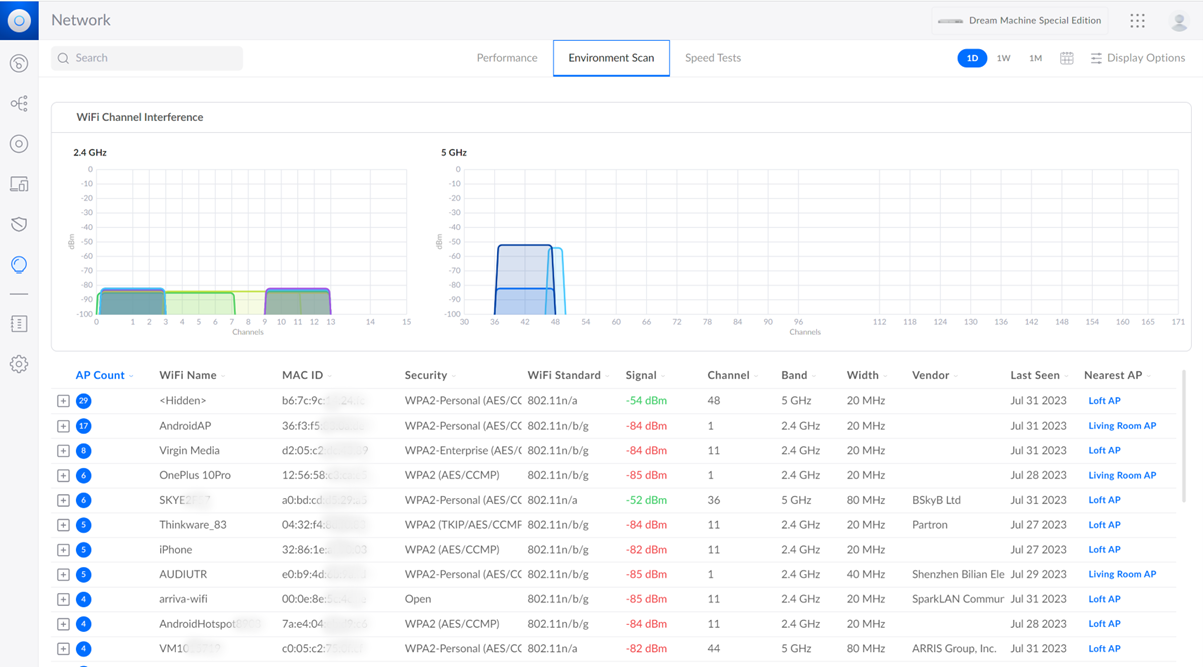
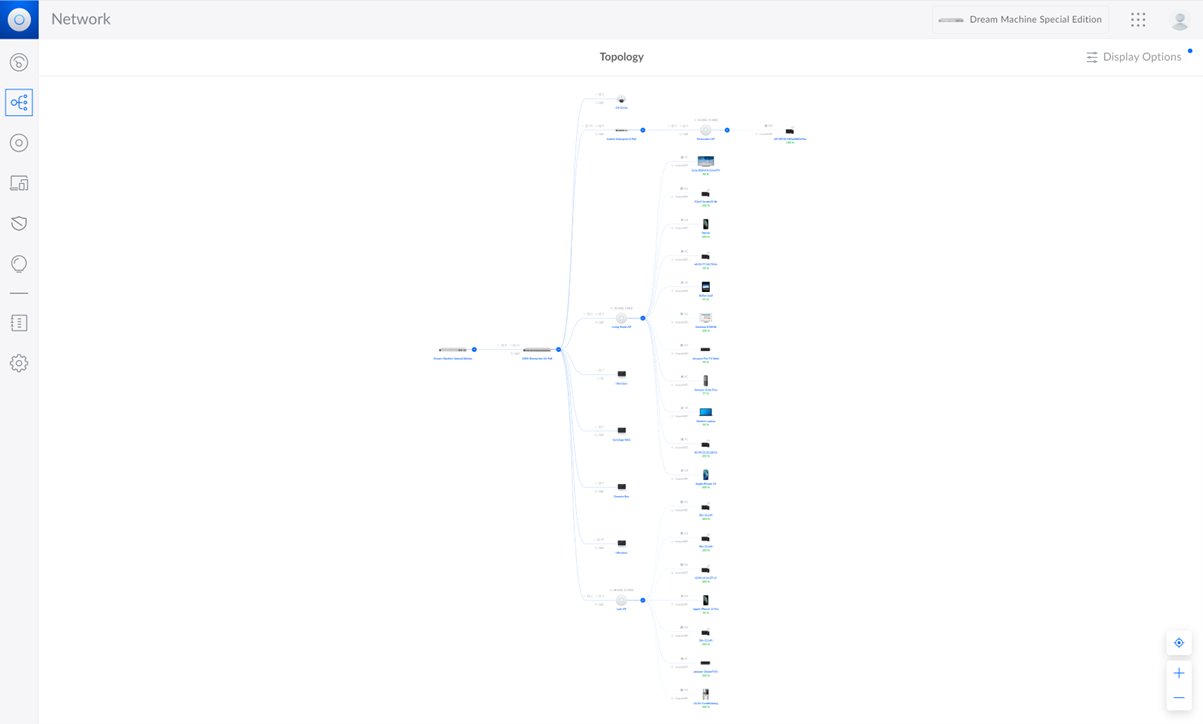
This includes features like:
- Centralised device management.
- Real-time statistics and analytics.
- Advanced RF (radio frequency) environment analytics.
- Configuration of large-scale deployments.
- Detailed device status reporting.
The Unifi controller is a free application that can run on Windows, Linux or MacOS. You can run it on anything from a Raspberry Pi, your own PC, physical server, VM a docker container, even host it in the cloud. Unifi products that are able run the controller software are Unifi Cloud Keys and UDM (UniFi Dream Machines). Differences on these later on.
Each of Unifi controllers have the same basic functions but scale up depending on their capabilities and increasing hardware specifications. There are four applications in the Unifi suite:
- Networking: This encompasses all aspects pertaining to a network's operation, including network parameters, Wi-Fi capabilities, mesh networking features, and compatibility with extenders or access points, among others.
- Protection: This represents the capability to integrate IP cameras, forming a surveillance system for enhanced security.
- Talk: This refers to the provision for Voice over IP (VoIP) phones, enabling internet-based telecommunication.
- Access Control: As described by Ubiquiti, this is a platform specifically engineered for access control systems. It integrates with security-focused Internet of Things (IoT) devices that control access to a physical space, such as doorbells, key fobs, smart locks, and more.
Which Physical Controller
There are multiple different controllers to choose from:
- Unifi Gateway Controllers
- Dream Machine Professional
- Dream Machine Special Edition
- Dream Wall
- Dream Router
- Cloud Keys & Gateways
- Cloud Key G2 Plus
- Gateway Professional
- Cloud Key Enterprise
These are various different form factors and differing amount of performance, capability and functionality.
This can be determined via this link:
https://www.ui.com/consoles/resource-calculator
When considering Ubiquiti appliances, it's important to note that while they may boast the ability to handle various applications and support a considerable number of access points, it is advisable to err on the side of caution. Opting for an appliance with ample resources and capabilities beyond your immediate needs is a wiser approach. By doing so, you ensure that your system operates with optimal performance and leaves room for future growth. It is crucial to strike the right balance between current requirements and scalability, which can be achieved by investing in a higher-performing appliance that can accommodate any potential expansions seamlessly.
Unifi Gateway Controllers
Choosing a Ubiquiti gateway controller hinges on several factors including the amount of resources you plan to employ, which can be initially estimated using the link for the resource calculator above, the types of applications you anticipate running (more details to follow), the form factor suitable for your space (whether wall, shelf, or desk), the type, quantity, and speeds of connections required, the need for POE (Power Over Ethernet), and your specific external connectivity requirements.
The sections below give a brief overview of each of the gateway controllers and a comparative resource summary.
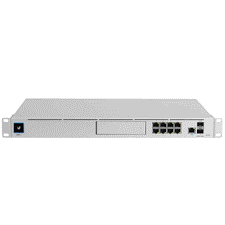
Dream Machine Professional
Processor: Quad-core ARM® Cortex®-A57 at 1.7 GHz
System Memory: 4 GB DDR4
On-board storage: 16 GB eMMC
Networking interface LAN: 8x GbE RJ45 ports
Networking interface: WAN: 1x GbE RJ45 port
Networking interface SFP+ LAN: 1x 10G
Networking interface SFP+ WAN: 1x 10G
IDS/IPS throughput: 3.5 Gbps (Measured with iPerf3)
Runs: Network, Protect, Access and Talk
https://eu.store.ui.com/eu/en/pro/category/all-unifi-gateway-consoles/products/udm-pro
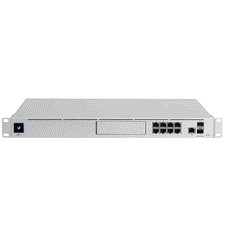
Dream Machine Special Edition
Processor: Quad-core ARM® Cortex®-A57 at 1.7 GHz
System memory: 4 GB DDR4
On-board storage: 16 GB eMMC
On-board storage: Integrated 128 GB SSD
Networking interface LAN: 8x GbE RJ45 ports
Networking interface WAN: 1x 2.5 GbE RJ45 port
Networking interface SFP+ LAN: 1x 10G
Networking interface SFP+ WAN: 1x 10G
IDS/IPS throughput: 3.5 Gbps (Measured with iPerf3)
Runs: Network, Protect, Access and Talk
https://eu.store.ui.com/eu/en/pro/category/all-unifi-gateway-consoles/products/udm-se
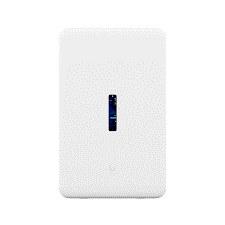
Dream Wall
Processor: Quad-core ARM® Cortex®-A57 at 1.7 GHz
System Memory: 4 GB DDR4
On-board storage: 16 GB eMMC
On-board storage: 128GB SSD
On-board storage: 512GB microSD card
Expansion Slot: Micro SD memory card
Networking interface LAN: 17x GbE RJ45 ports
Networking interface: WAN: 1x 2.5 GbE RJ45 port
Networking interface SFP+ LAN: 1x 10G
Networking interface SFP+ WAN: 1x 10G
Integrated Enterprise WiFi6 (4x4 MIMO)
Runs: Network, Protect, Access and Talk
https://eu.store.ui.com/eu/en/pro/category/all-unifi-gateway-consoles/products/udw
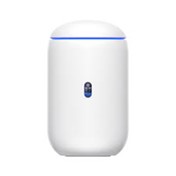
Dream Router
Processor: Dual-core Arm® Cortex® A53 at 1.35 GHz 2Gb
On-board storage: 128Gb SSD
Expansion Slot: Micro SD memory card
Networking interface LAN: 4x GbE RJ45 ports
Networking interface: WAN: 1x GbE RJ45 port
Built-in WiFi6 (4x4 MIMO)
Runs: Network, Protect, Access and Talk
https://eu.store.ui.com/eu/en/pro/category/all-unifi-gateway-consoles/products/udr
Cloud Keys & Gateways
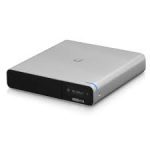
Cloud Key Gen2 Plus
Processor: Octa-core Arm® Cortex®-A53 based chip
System Memory: 32 GB eMMC
Networking interface LAN: 1x GbE RJ45 ports
Hard Disk Capacity: 1 TB 2.5" SATA HDD
Runs: Network, Protect, Access and Talk
https://eu.store.ui.com/eu/en/pro/category/all-cloud-keys-gateways/products/unifi-cloudkey-plus
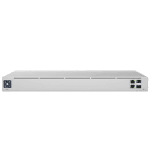
Gateway Professional
Processor: Quad-core ARM® Cortex®-A57 at 1.7 GHz
System memory: 2 GB DDR4
Networking interface LAN: 1x GbE RJ45 ports
Networking interface WAN: 1x GbE RJ45 port
Networking interface SFP+ LAN: 1x 10G
Networking interface SFP+ WAN: 1x 10G
IDS/IPS throughput: 3.5 Gbps (Measured with iPerf3)
Runs: Network, Protect, Access and Talk
https://eu.store.ui.com/eu/en/pro/category/all-cloud-keys-gateways/products/uxg-pro
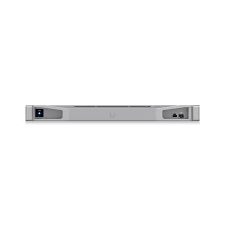
Cloud Key Enterprise
Processor: 16-core Intel® Xeon®-SP Gold 5218 at 2.3 GHz
System memory: 2x (2) 16 GB DDR4 ECC RDIMM
On-board storage: 256 GB, M.2 2280 SATA
Networking interface LAN: 1x GbE RJ45 ports
Networking interface SFP+ LAN: 1x 10G
Runs: Network, Protect, Access and Talk
https://eu.store.ui.com/eu/en/pro/category/all-cloud-keys-gateways/products/cloud-key-enterprise
Unifi Applications
Ubiquiti have four offerings for network switching with the following wording taken directly from Ubiquti:
Utility: Our small, lightweight switches are flexible and suitable for indoor or outdoor use. Available in a range of port numbers and speeds.
Standard: Powerful switches ranging from 8 to 48 GbE RJ45 ports, with PoE and non-PoE options. Ideal for mid-sized networks.
Professional: The next level up from our Standard series, with increased PoE power capacity, power redundancy support, 10G optical connections, and Layer 3 routing features. Ideal for high-performance networks.
Enterprise: Our highest-end switches, designed for maximum power and versatility in any enterprise or campus environment. They include integrated 2.5GbE and 10GbE RJ45 ports as well as 25G optical connections. Perfect for large-scale networks.
When diving into the world of networking, you'll come across terms that describe the performance and capabilities of network switches. Three of the most common terms are Non-Blocking Throughput, Switching Capacity, and Forwarding Rate. Let's break these down:
- Non-Blocking Throughput:
Think of it as the highway's maximum capacity. It represents the peak volume of data (usually in Gbps) that a switch can transmit all at once without any traffic jams. - Switching Capacity:
This is the total bandwidth a switch can manage. Imagine adding up the top speeds of all lanes on a highway; that's your switching capacity. It's calculated by adding the switch port's top speed to twice the SFP port's top speed. - Forwarding Rate:
This metric tells us how quickly a switch can process individual data packets. It's like measuring how fast cars can pass through a toll booth, regardless of their size.
Real-world Example: Imagine two highways, both with the same total lane speed (Switching Capacity) of 48Gbps. However, one highway (Switch A) can process 38 million cars (packets) per hour at its toll booth, while the other (Switch B) can process 52 million. In this scenario, Switch B would allow traffic to flow more smoothly and quickly.
In Summary: When choosing a network switch, it's essential to consider both its total data-handling capacity (Switching Capacity) and how fast it can process individual data packets (Forwarding Rate). These metrics will give you a clear picture of the switch's overall performance and efficiency.
PoE (Power Over Ethernet)
Power over Ethernet (PoE) is a technology that allows network cables to carry electrical power in addition to data. This is particularly useful for devices like IP cameras, VoIP phones, and access points, as they can be powered and connected to the network using a single cable. Over the years, the PoE standard has evolved to deliver more power to cater to the needs of more power-hungry devices. This evolution has led to the development of PoE+, and later, PoE++.
Here's a detailed comparison of PoE, PoE+, and PoE++:
- Standards:
- PoE: Defined by the IEEE 802.3af standard.
- PoE+: Defined by the IEEE 802.3at standard.
- PoE++: Defined by the IEEE 802.3bt standard.
- Power Delivery:
- PoE: Can deliver up to 15.4W of power at the source (typically a switch or injector), with a minimum of 12.95W available at the device after accounting for power loss over the cable.
- PoE+: Can deliver up to 30W of power at the source, with a minimum of 25.5W available at the device.
- PoE++: This standard is split into two types:
- Type 3: Can deliver up to 60W of power at the source, with a minimum of 51W available at the device.
- Type 4: Can deliver up to 100W of power at the source, with a minimum of 71W available at the device.
- Cable Requirements:
- PoE and PoE+: Typically use two pairs of wire in a Cat5e or higher Ethernet cable.
- PoE++: Uses all four pairs in an Ethernet cable to deliver power, which is how it achieves the higher power levels.
- Use Cases:
- PoE: Suitable for basic devices like VoIP phones, simple IP cameras, and some access points.
- PoE+: Designed for more power-intensive devices, including advanced IP cameras with heaters or pan-tilt-zoom (PTZ) features, dual-band access points, and video phones.
- PoE++: Ideal for the most power-hungry devices, such as high-performance wireless access points, PTZ cameras with high-power requirements, and even some thin clients or monitors.
- Backward Compatibility:
- PoE: N/A since it's the first standard.
- PoE+: Backward compatible with PoE. This means a PoE+ switch can power PoE devices, but a PoE switch cannot power PoE+ devices.
- PoE++: Backward compatible with both PoE and PoE+. However, to utilize the full power potential of PoE++, both the source (e.g., switch) and the device must support the PoE++ standard.
- Distance:
- For all three standards, the maximum cable length for power delivery is typically 100 meters (328 feet) when using standard Ethernet cabling.
In summary, the primary difference between these standards is the amount of power they can deliver. As devices have become more advanced and power-hungry, the PoE standards have evolved to meet these demands. When designing or upgrading a network, it's essential to consider the power requirements of the devices you plan to connect and choose the appropriate PoE standard accordingly.
Unifi Applications
- Network
- Protect
- Access
- Identity
- Connect
- Talk
Unifi Identity (UID)
Tools of Speciality

Info Box
Enter description text here. Lorem ipsum dolor sit amet, consectetur adipiscing. Quo incidunt ullamco.
Info Box
Enter description text here. Lorem ipsum dolor sit amet, consectetur adipiscing. Quo incidunt ullamco.
Info Box
Enter description text here. Lorem ipsum dolor sit amet, consectetur adipiscing. Quo incidunt ullamco.
Info Box
Enter description text here. Lorem ipsum dolor sit amet, consectetur adipiscing. Quo incidunt ullamco.
Our approach

In an industry landscape where the essence of personal service is dimming and the market is dominated by larger providers, Panacea, true to its meaning of 'solution for all difficulties', rises as a distinctive alternative. Our firm independence allows us to maintain our unique identity and continue to put the individual customer's needs first. Our foundation is built on the robust experience of a leadership team that brings together over 35 years of expertise in the networking sector. However, our focus goes beyond any monolithic concept - we are all about delivering a tailored, adaptable service that is custom-made to each client's unique needs.
-
In an industry landscape where the essence of personal service is dimming and the market is dominated by larger providers, Panacea, true to its meaning of 'solution for all difficulties', rises as a distinctive alternative. Our firm independence allows us to maintain our unique identity and continue to put the individual customer's needs first. Our foundation is built on the robust experience of a leadership team that brings together over 35 years of expertise in the networking sector. However, our focus goes beyond any monolithic concept - we are all about delivering a tailored, adaptable service that is custom-made to each client's unique needs.
-
In an industry landscape where the essence of personal service is dimming and the market is dominated by larger providers, Panacea, true to its meaning of 'solution for all difficulties', rises as a distinctive alternative. Our firm independence allows us to maintain our unique identity and continue to put the individual customer's needs first. Our foundation is built on the robust experience of a leadership team that brings together over 35 years of expertise in the networking sector. However, our focus goes beyond any monolithic concept - we are all about delivering a tailored, adaptable service that is custom-made to each client's unique needs.
-
In an industry landscape where the essence of personal service is dimming and the market is dominated by larger providers, Panacea, true to its meaning of 'solution for all difficulties', rises as a distinctive alternative. Our firm independence allows us to maintain our unique identity and continue to put the individual customer's needs first. Our foundation is built on the robust experience of a leadership team that brings together over 35 years of expertise in the networking sector. However, our focus goes beyond any monolithic concept - we are all about delivering a tailored, adaptable service that is custom-made to each client's unique needs.

Overview
Network Monitoring is a process that enables IT professionals to determine whether a network is working properly in terms of performance, uptime and endpoint availability.
Network monitoring tools help Managed Service Providers and IT Departments gain full visibility into the digital networks they manage.Network Monitoring is a process that enables IT professionals to determine whether a network is working properly in terms of performance, uptime and endpoint availability. Network monitoring tools help Managed Service Providers and IT Departments gain full visibility into the digital networks they manage.Network Monitoring is a process that enables IT professionals to determine whether a network is working properly in terms of performance, uptime and endpoint availability. Network monitoring tools help Managed Service Providers and IT Departments gain full visibility into the digital networks they manage.Network Monitoring is a process that enables IT professionals to determine whether a network is working properly in terms of performance, uptime and endpoint availability. Network monitoring tools help Managed Service Providers and IT Departments gain full visibility into the digital networks they manage.
Case Studies
Network Monitoring is a process that enables IT professionals to determine whether a network is working properly in terms of performance, uptime and endpoint availability.
Network monitoring tools help Managed Service Providers and IT Departments gain full visibility into the digital networks they manage.Network Monitoring is a process that enables IT professionals to determine whether a network is working properly in terms of performance, uptime and endpoint availability. Network monitoring tools help Managed Service Providers and IT Departments gain full visibility into the digital networks they manage.Network Monitoring is a process that enables IT professionals to determine whether a network is working properly in terms of performance, uptime and endpoint availability. Network monitoring tools help Managed Service Providers and IT Departments gain full visibility into the digital networks they manage.Network Monitoring is a process that enables IT professionals to determine whether a network is working properly in terms of performance, uptime and endpoint availability. Network monitoring tools help Managed Service Providers and IT Departments gain full visibility into the digital networks they manage.
Network Monitoring is a process that enables IT professionals to determine whether a network is working properly in terms of performance, uptime and endpoint availability.
Network monitoring tools help Managed Service Providers and IT Departments gain full visibility into the digital networks they manage.Network Monitoring is a process that enables IT professionals to determine whether a network is working properly in terms of performance, uptime and endpoint availability. Network monitoring tools help Managed Service Providers and IT Departments gain full visibility into the digital networks they manage.Network Monitoring is a process that enables IT professionals to determine whether a network is working properly in terms of performance, uptime and endpoint availability. Network monitoring tools help Managed Service Providers and IT Departments gain full visibility into the digital networks they manage.Network Monitoring is a process that enables IT professionals to determine whether a network is working properly in terms of performance, uptime and endpoint availability. Network monitoring tools help Managed Service Providers and IT Departments gain full visibility into the digital networks they manage.